
With an embed you can show your available times directly on your own website.
Your customers see what's available and go straight to booking with one click.
You'll need access to your website's code.
If someone else looks after your website, send them this article.
Example of an embed in use:
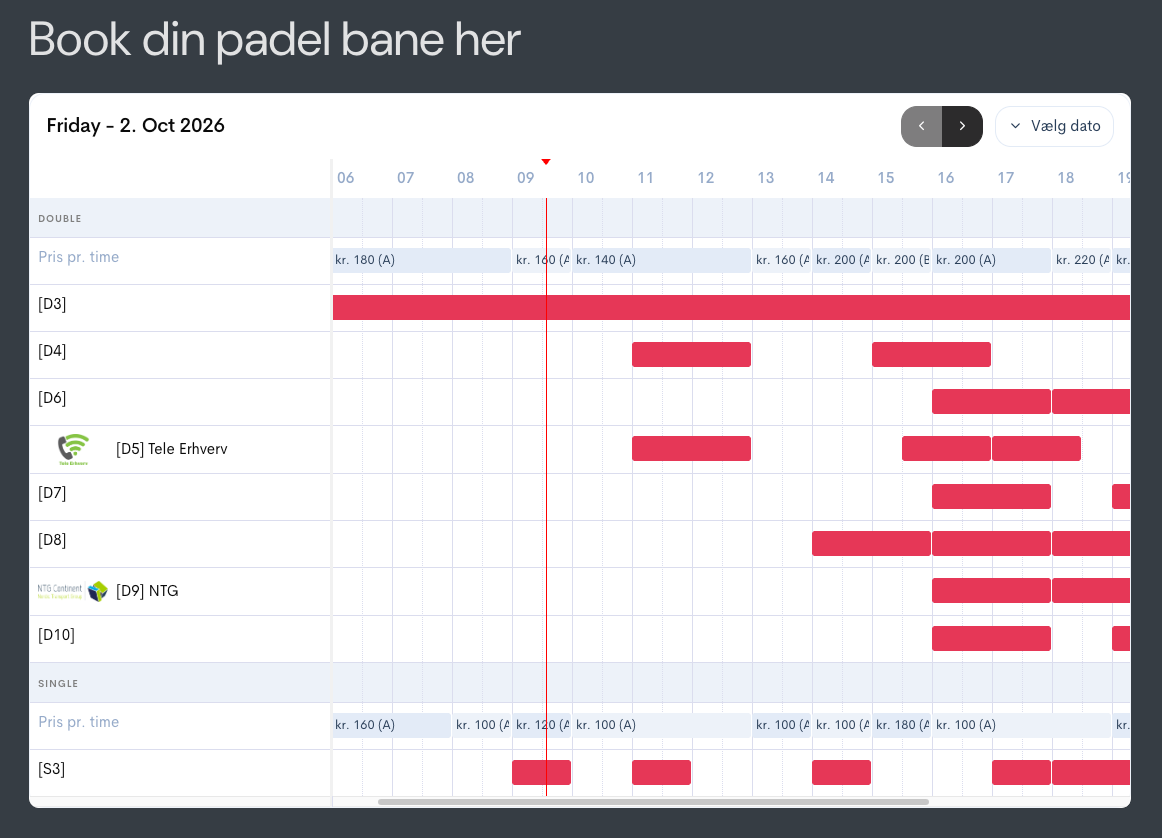
See it in action her: LINK
General code:
The general code loads what the booking table needs: the stylesheet that gives it its appearance, and the script that fetches your times from Bookli.
The two code snippets are added once and apply to your whole website — no matter how many places you show the booking table.
Head
Step1: Should be placed at the end of the <head> tag
<link href="<https://bookli.app/embed/style.css>" rel="stylesheet"/>
Body
Step : Add this code before the </body> tag
<script type="text/javascript" src="<https://bookli.app/embed/index.js?ver=202402221246>" id="bookli-js-js"></script>
Find the Head and Body settings:
Where to find the Head and Body settings depends on which website system you use.
Booking table
Insert the code below exactly where you want the table to appear on the page.
<bookli-embed location-id="ckkb4fc3a27038815cor84kl1j6" type="ResourceTabel"></bookli-embed>
It can be used on several pages — unlike the first two code snippets.
Getting your location ID
Write to [email protected] with the name of your club, and we'll send you your location ID.