An SMS is often seen faster than an email.
That’s why Bookli sometimes uses SMS messages to remind your customers about payments and bookings. Here you can see when they are sent and which ones you can turn on and off yourself
1a. Facility bookings, e.g. courts
By default, Bookli sends an SMS reminder for facility bookings.
You can turn this on and off by writing to [email protected]
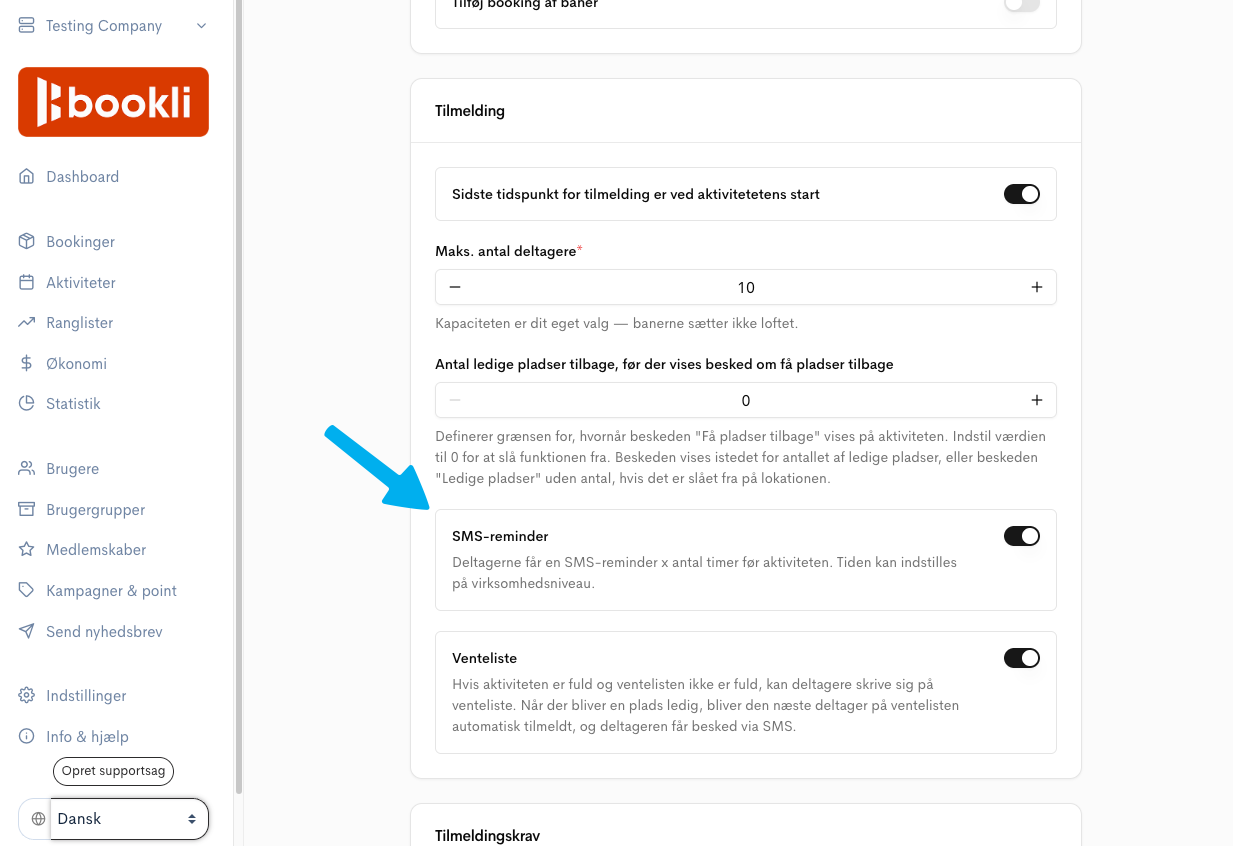
1b. Activity bookings
You can choose and configure whether your end user receives an SMS reminder for an activity booking.
You can configure this individually for each activity.
An SMS is sent when the club unregisters an end user from an activity or cancels the activity.
This cannot be turned off.
Whether Bookli sends depends on how the club / location is set up.
(Read more about Waiting List Settings)
3a “A place is available”
Everyone on the waiting list receives an SMS with a link to sign up.
This cannot be turned off.
3b “You have moved up from the waiting list”.
This happens automatically when waiting lists operate as a queue, where people automatically move up, or if an admin moves an end user up from the waiting list.
Bookli automatically sends an SMS when membership payments have failed for an extended period.
The end user is notified by email several times when a membership payment has failed.
If the payment is still not completed 5 days after the first payment attempt, the end user receives an SMS
This cannot be turned off
An SMS is of course also sent when using the Bookli Admin “Send message” feature and enabling SMS
It can be sent to a user, a group, the participants in an activity, the members of a membership, or all the club’s users.
A confirmation code may be sent by SMS when an end user logs in with their phone number.
Bookli covers the costs of such SMS messages.