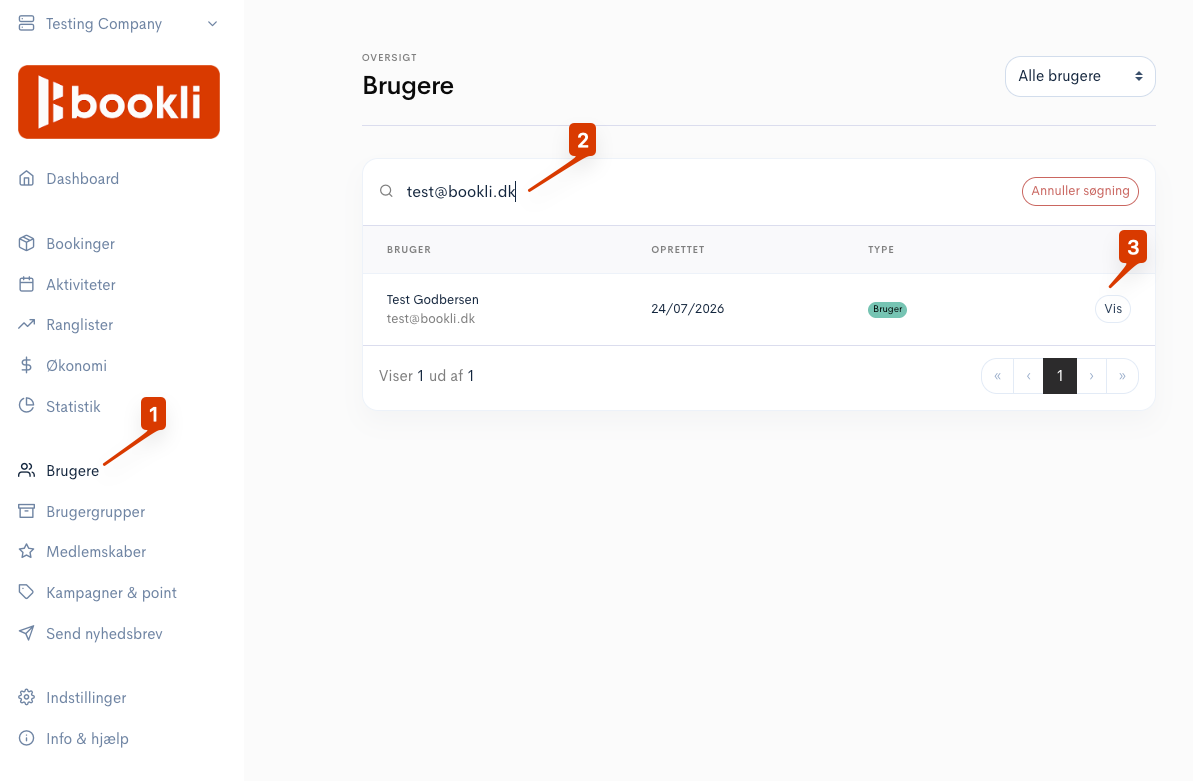
Go to Users, search for the user, and click “View”
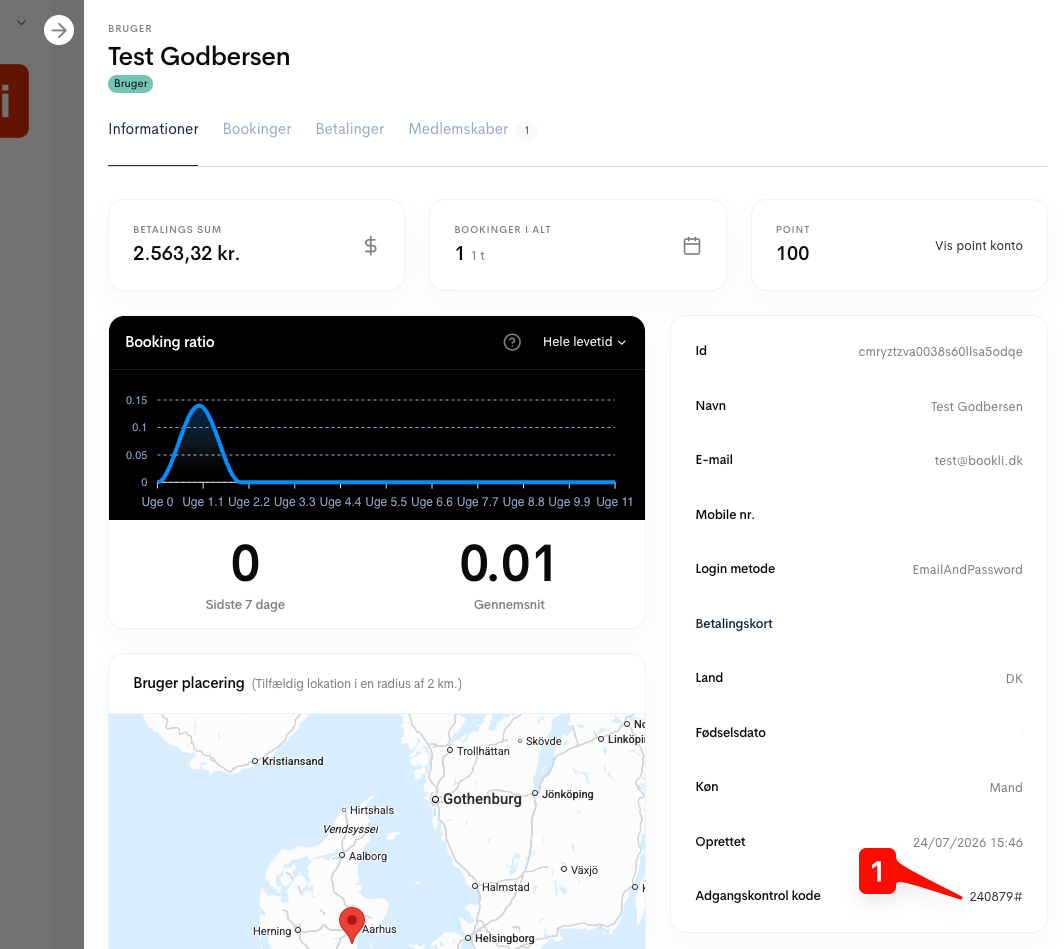
Click the user's access control code
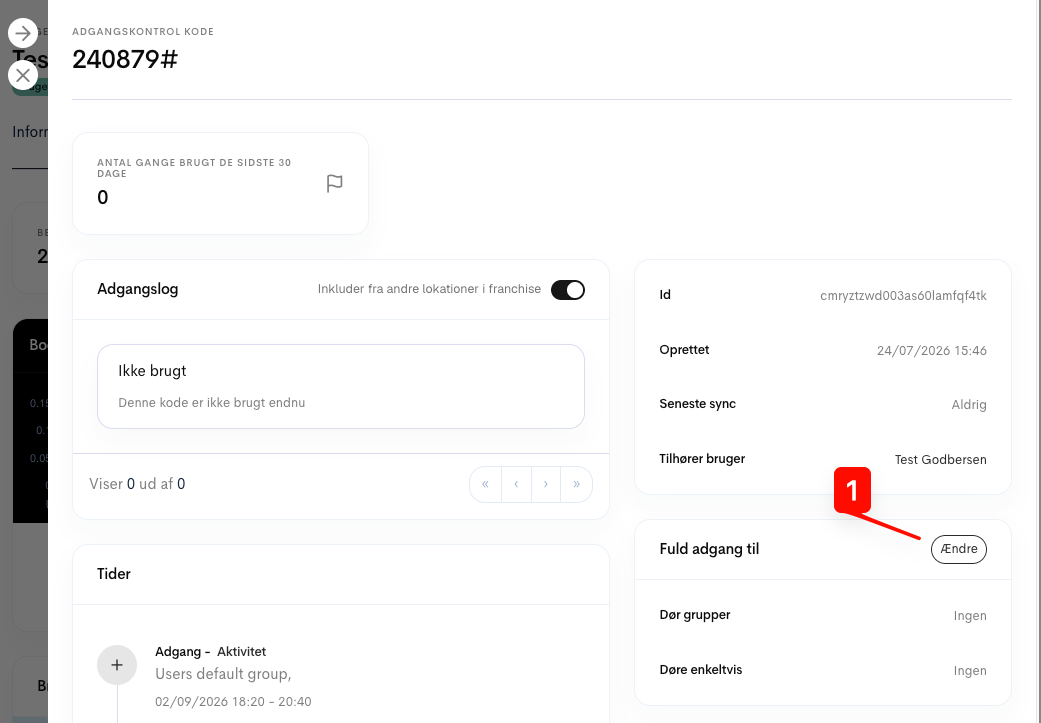
Click “Edit”
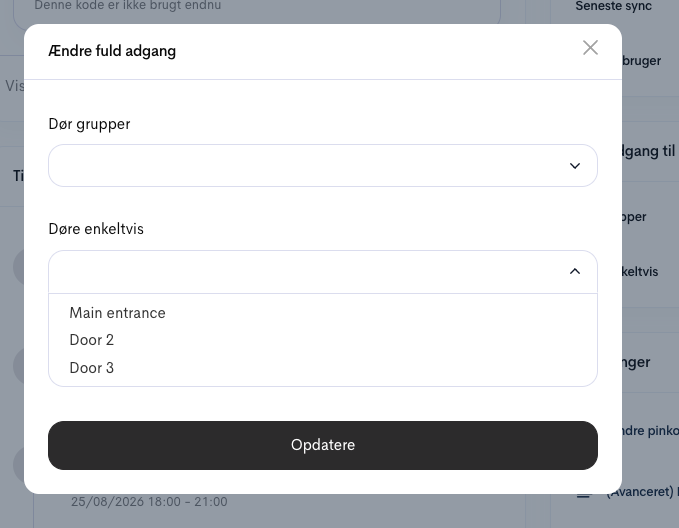
Select the door groups or doors the user should have full/permanent access to.
Click Update when finished
After this Bookli needs to synchronise with the local door system.
It can take up to an hour for the changes to go through.
It is possible to create codes with permanent access for multiple people or for a person who does not have a Bookli account.
Note - we do not recommend creating codes for more people at a time.
The access log is most useful as long as you maintain 1 person = 1 code.
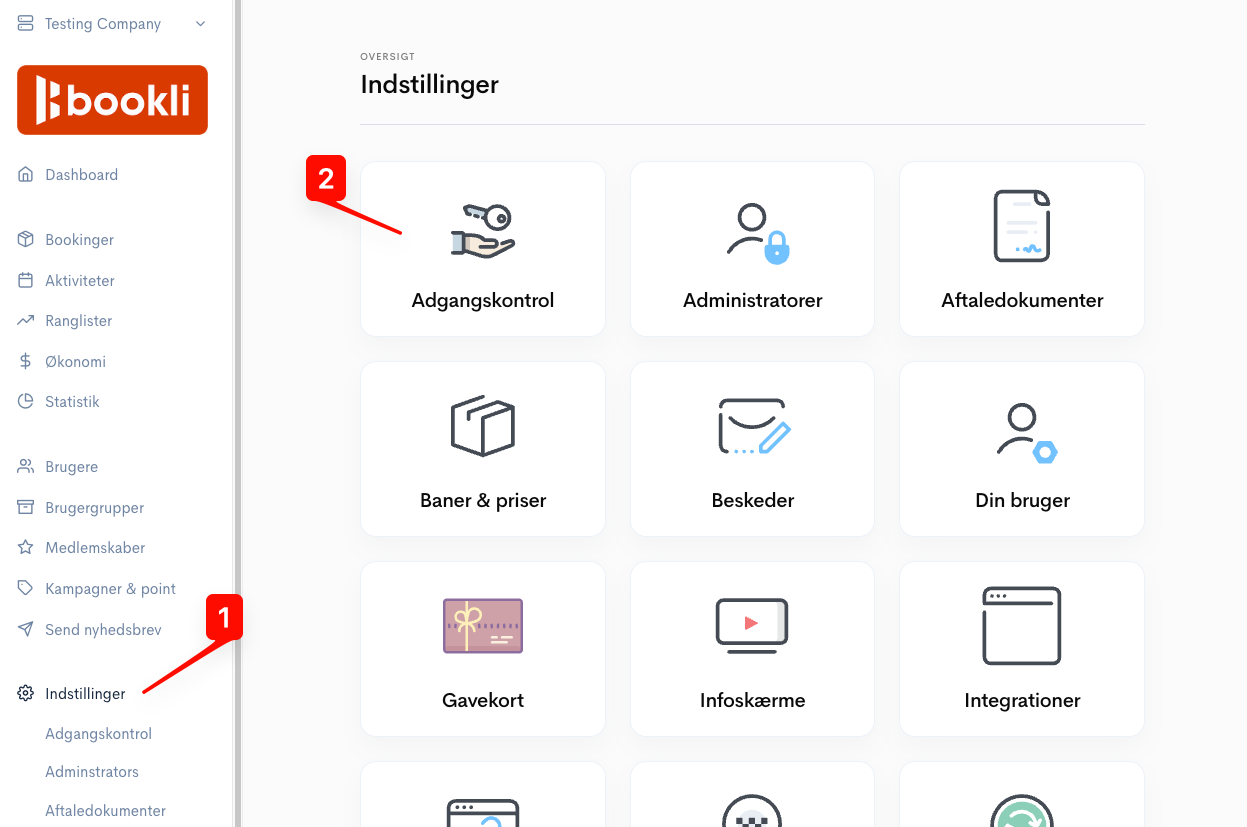
Select Settings → Access Control
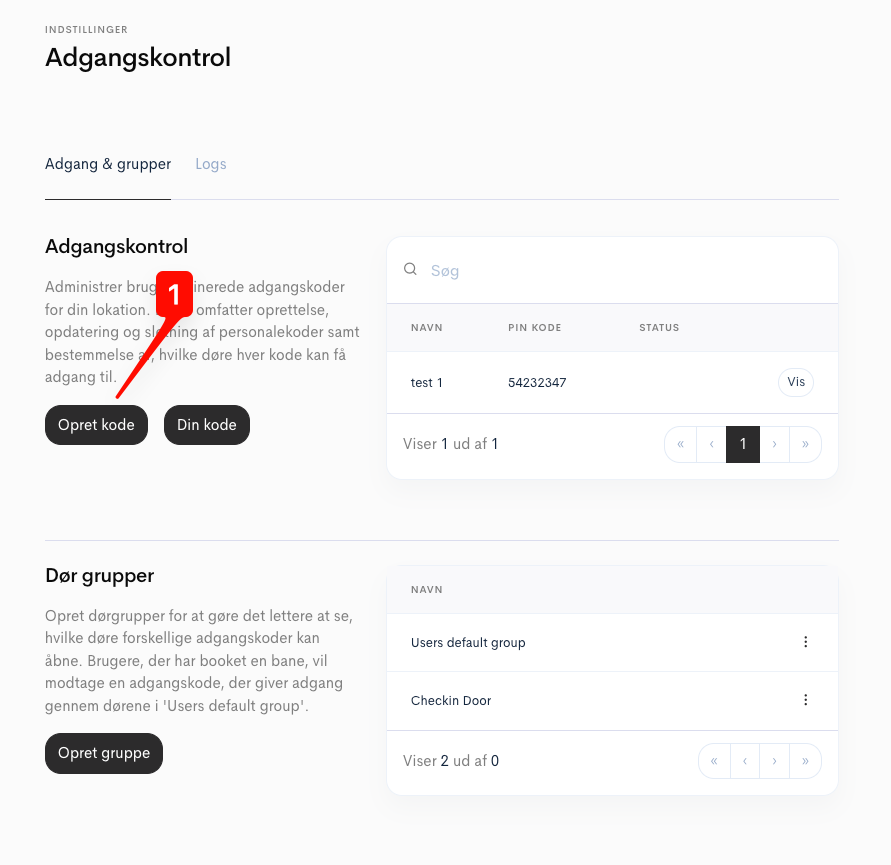
Press Create code
Create the code and grant access
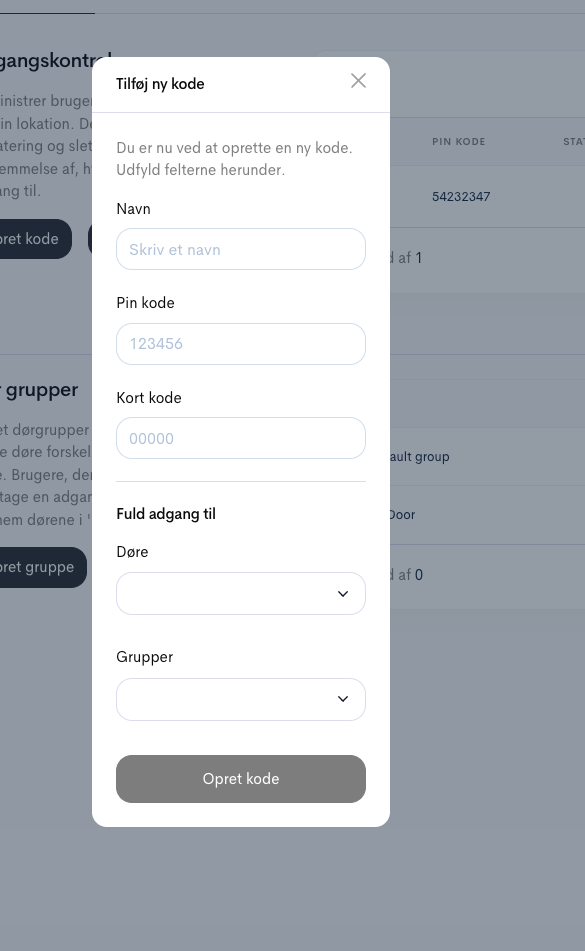
Name = For example, Peter or Cleaning staff
PIN code = 6-digit code.
(Please note that you must choose a code that is not already in use.
This may take a couple of attempts.)
Short code = If you would like to use a physical card.